GIF to WebP: A Complete Guide to Animation, Transparency, and Batch Conversion
If you're looking for a way to convert GIF to WebP, you probably have a specific problem to solve. Maybe animated GIFs are making your website slower, a platform won't accept a large animation, or you've heard WebP can reduce file sizes but aren't sure whether the animation, transparency, or image quality will survive the conversion.

This guide covers when it makes sense to convert GIFs to WebP, what to check before switching formats, and how to convert multiple files online.
When Should You Convert GIF to WebP?
WebP is an image format developed by Google for use on the web. It supports both animation and transparency, and its flexible compression options can produce smaller files than GIF. However, converting every GIF to WebP isn't always worthwhile. The result depends on the image itself and where you plan to use it.
When GIF to WebP Conversion Makes Sense
Animated product demos on websites
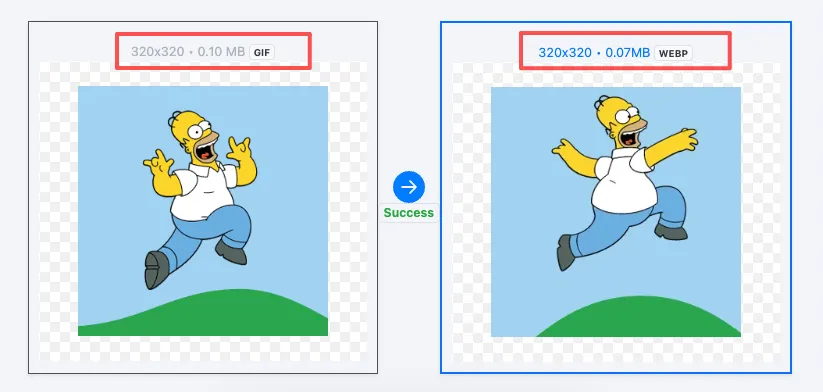
If you run a website, blog, or content platform, you may have animated GIFs showing how a product or feature works. A single 3 MB GIF can add a noticeable amount of data to a page. If your site supports WebP, converting that animation is worth testing. The resulting file may be significantly smaller while retaining the animation.
E-commerce product pages
Some online stores use animations to demonstrate product features, show how an item works, or explain individual steps. When several large GIFs appear on the same page, converting suitable images to WebP may reduce the amount of data visitors need to download.
Tutorials with lots of animated examples
Tutorials and how-to articles often rely on GIFs to demonstrate software features or step-by-step workflows. If you maintain a large library of these articles, batch conversion can be a practical way to optimize suitable images without processing them one at a time.
When You Should Keep GIF Instead
The original GIF is already small. If a GIF is only 30–50 KB, converting it may save very little. Depending on the image and encoding, the WebP version could even be larger.
Your target platform requires GIF. Some older forums, content management systems, and messaging tools may not support animated WebP. If you need the animation to work across older platforms, GIF may still be the safer choice.
You need to share files with people using older software. Not every application handles WebP equally well. Check compatibility before converting files that other people need to open.
The images are sensitive, or you can't review the results. If an image contains private information and you don't want to upload it to an online service, use a suitable local tool instead. And if you can't check the output, avoid converting an entire collection before testing a few files.
The bottom line: WebP is particularly useful for optimizing images on modern websites, but it isn't a universal replacement for GIF.
GIF vs. WebP: What's the Difference?
WebP can offer better compression than GIF, but the two formats have different strengths. Here's how they compare.
| Feature | GIF | WebP |
|---|---|---|
| Animation | Supported | Supported |
| Transparency | Supported, but with limited transparency handling | Supports alpha transparency |
| Color | Up to 256 colors per frame | Supports a wider range of colors |
| Compression | Uses lossless compression | Supports lossy and lossless compression |
| File size | Complex animations can be large | Often smaller, but results vary |
| Compatibility | Very widely supported, including older platforms | Well supported by modern browsers; some older software may not support it |
| Best use cases | Legacy platforms, chat animations, maximum compatibility | Website optimization and modern web content |
In short, GIF offers broad compatibility, while WebP gives you more flexible compression options. Before converting, consider whether your target platform supports WebP, whether the file actually gets smaller, and whether the animation still looks right.
How to Convert GIF to WebP Online in Batches
Converting one GIF is usually straightforward. Processing a dozen or more animations individually, however, can become tedious.
ConvertFT's online GIF to WebP converter lets you convert images in your browser without installing desktop software or creating an account.
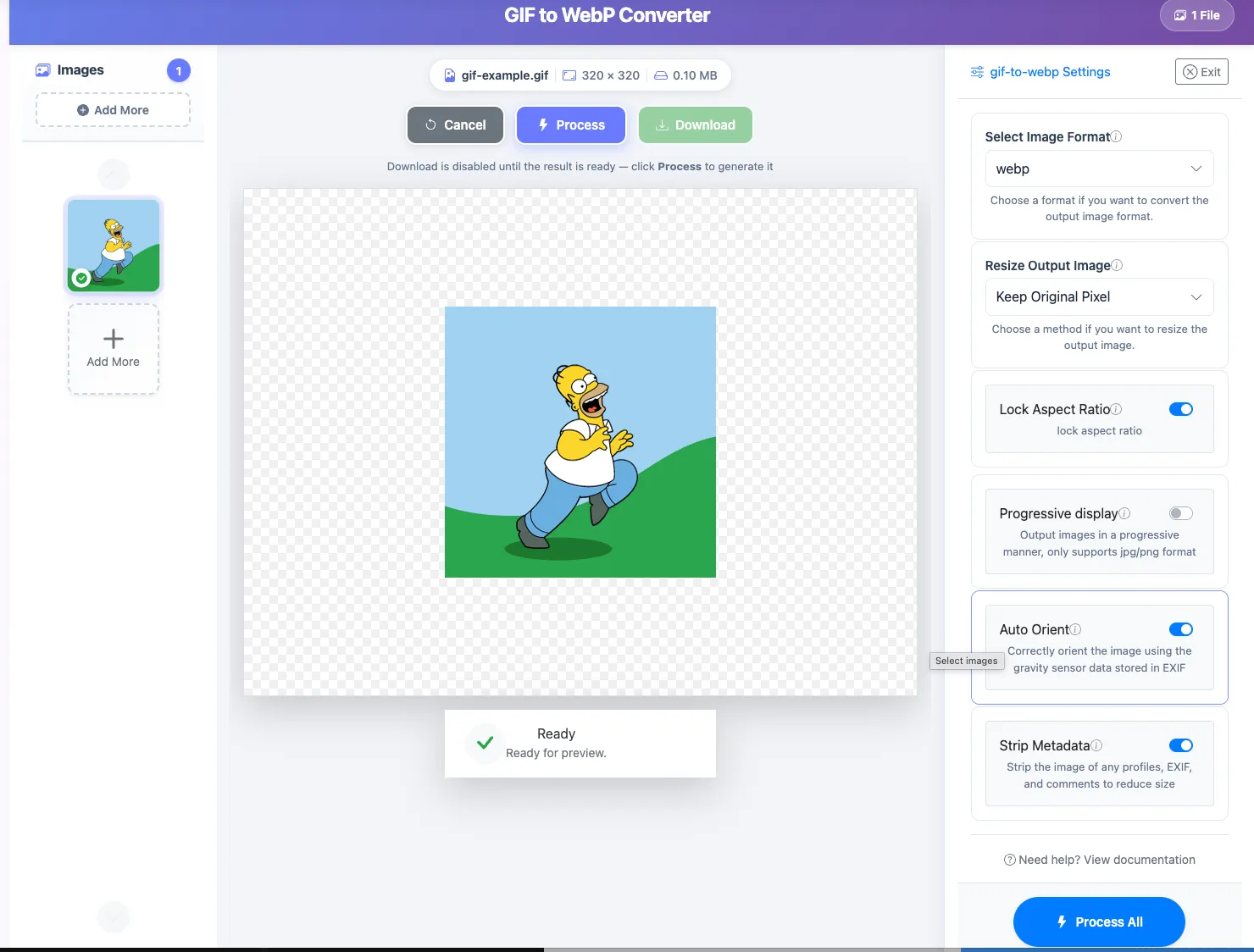
Here's how it works.
1. Open the converter
Visit the ConvertFT GIF to WebP tool.
2. Upload your GIF files
Select the GIFs you want to convert or drag them into the upload area. You can process up to 30 images per batch, with a maximum file size of 30 MB per image.
3. Preview the converted files
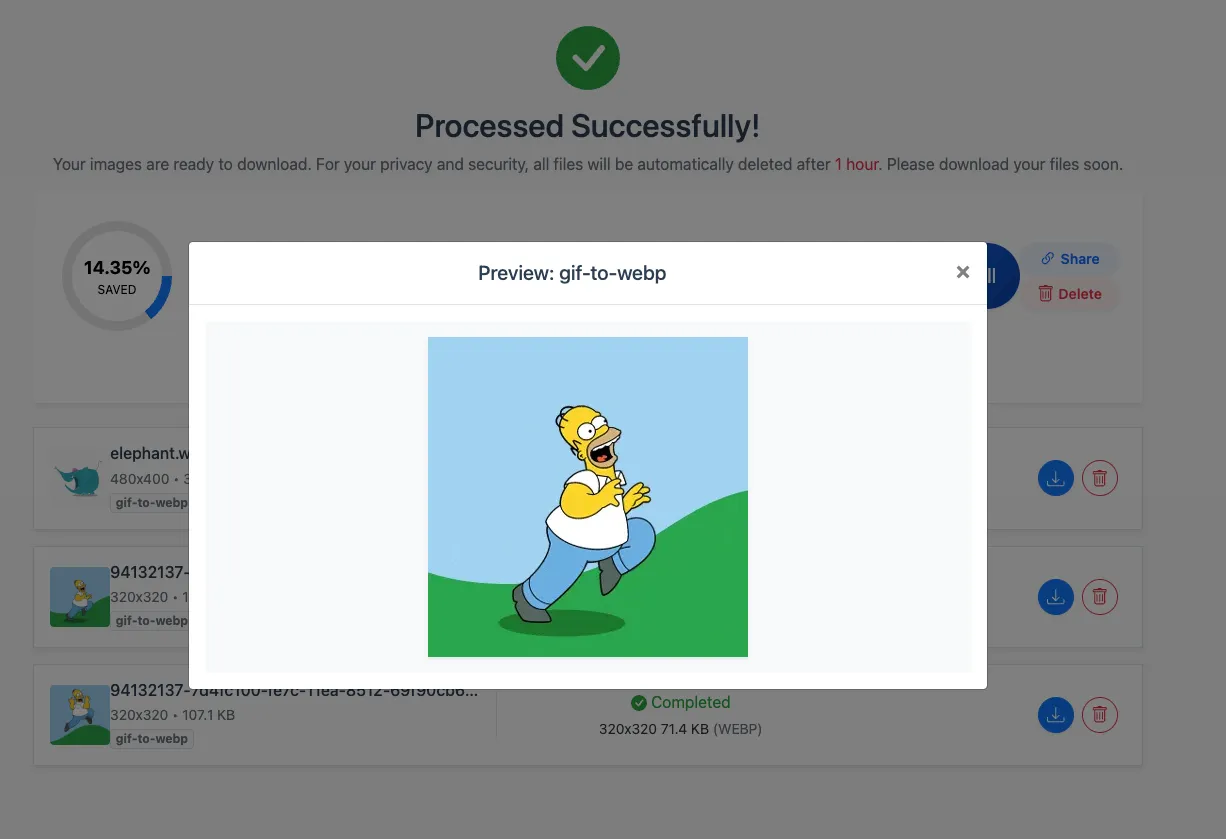
Once processing is complete, check the resulting WebP images. For animated files, make sure the animation plays correctly, transparency looks as expected, and image quality is acceptable.
4. Download your WebP images
When you're happy with the results, download the converted files and use them on websites or in other projects that support WebP.
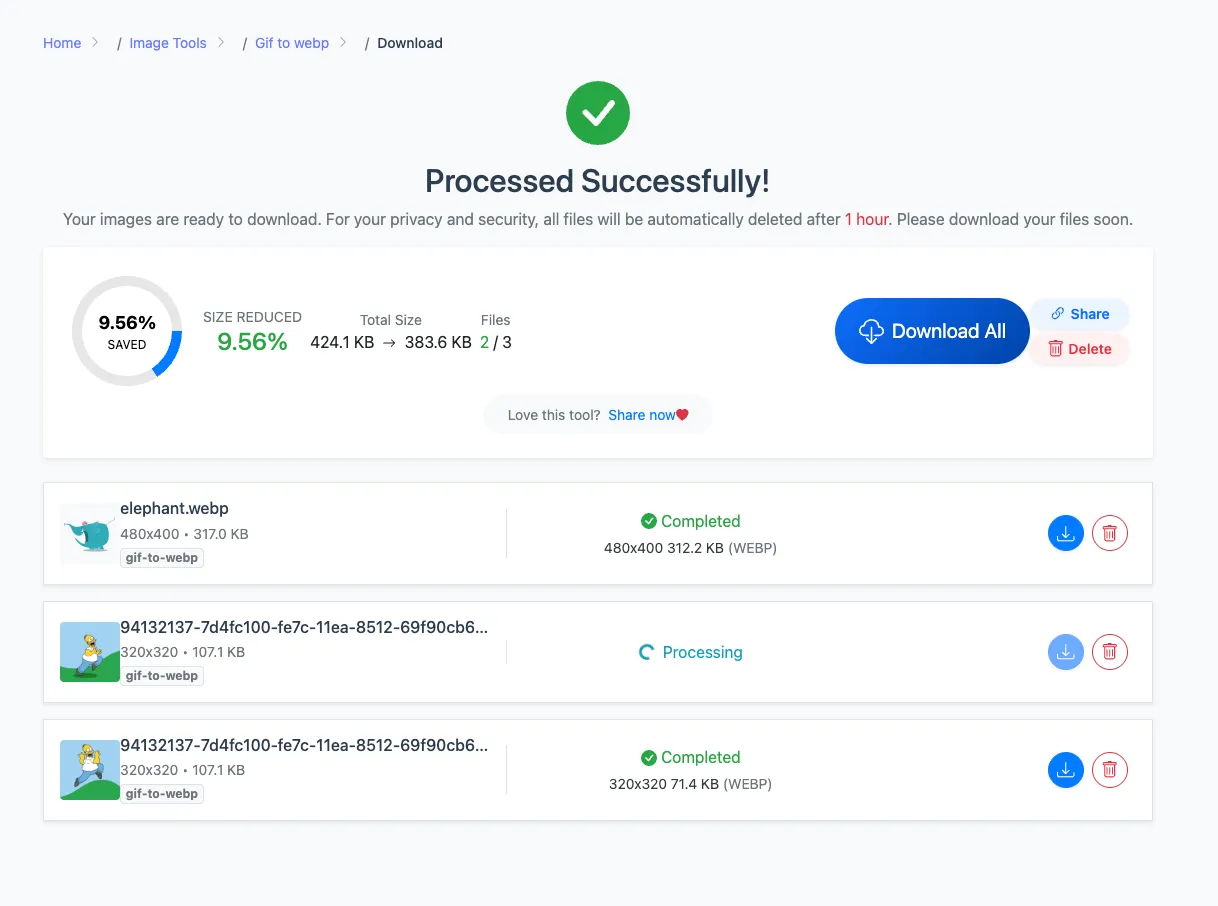
The process runs in your browser interface, so there's no desktop software to install. It's a convenient option for occasional conversions as well as batches of animations.
Convert GIF to WebP Online for Free →
Two Things to Check Before Converting
Changing the File Extension Isn't Enough
Renaming a file from .gif to .webp doesn't change its actual image format. A proper conversion requires the image data to be re-encoded.
If your goal is to reduce file size or use WebP on a website, use an actual image converter rather than simply changing the filename.
Compare File Size and Visual Quality
Suppose your original GIF is 2 MB and the converted WebP is 800 KB. That's a reduction of about 60%.
Other images may produce much smaller savings, and some WebP files may even end up larger than their GIF originals. Frame count, dimensions, image content, and encoding settings can all affect the result.
Keep the original GIF until you've checked the converted version. Pay particular attention to animations containing text, fine edges, or complex gradients, where compression artifacts may be more noticeable.
Frequently Asked Questions
Will converting GIF to WebP remove the animation?
Not if the converter supports animated WebP output. ConvertFT supports converting animated GIFs to WebP. Preview the result after conversion to make sure the animation plays as expected.
How much smaller will a WebP file be than a GIF?
There's no fixed percentage. The result depends on the animation's content, dimensions, frame count, and compression settings. Some GIFs become considerably smaller, while others see little improvement.
Is WebP good for website SEO?
WebP can help reduce the amount of image data a browser needs to download when the converted files are smaller. This may contribute to better page-loading performance, but it doesn't guarantee higher rankings. SEO also depends on factors such as content quality, overall page performance, and relevance to the search query.
Can I convert multiple GIFs at once?
Yes. ConvertFT supports batches of up to 30 images per batch, and you can run additional batches as needed. This is useful when you have several animations to convert and want to avoid repeating the upload process for each file.
Final Thoughts
GIF remains useful when compatibility with older platforms matters. WebP offers more flexible compression and supports both animation and transparency, making it a useful option for optimizing images on modern websites.
Before converting, keep three things in mind:
- Convert the actual image data. Changing the file extension won't change the format.
- Check the output. Compare file size, animation, transparency, and visual quality.
- Test before processing everything. Convert a few files first, then move on to a larger batch if the results meet your needs.
If you need a simple online option, try the free ConvertFT GIF to WebP converter. Upload, convert, preview, and download your images without installing software or creating an account.