Introduction
Recent advancements in Large Language Models (LLMs) and diffusion models have completely revolutionized how we create content. Tools like Gemini, Midjourney, and DALL-E have become an absolute godsend for independent developers, webmasters, and content creators who lack formal graphic design skills. Today, anyone can generate stunning blog covers and article illustrations within seconds.
However, raw AI outputs are rarely web-ready out of the box. They often come with hidden downsides—monolithic file sizes, unoptimized formats, hidden metadata bloat, and excessive resolutions. If you upload these raw assets directly to your blog, you risk tanking your page load speeds, killing your SEO rankings, and burning through expensive CDN bandwidth.
To strike the perfect balance between high-end visual quality and lightning-fast web performance, I have established a streamlined, post-generation batch processing workflow.
1. Slashing File Size: The Core Bottleneck
By default, most AI image generators export imagery in raw PNG format. Because PNG utilizes lossless compression, single images frequently range from 5MB to upwards of 15MB. To make these graphics practical for production web environments, we need a smarter approach to image compression.
Next-Gen Format Conversion (WebP vs. AVIF)
Converting legacy assets to modern, web-optimized image formats is the single most effective way to reduce asset weight. However, during conversion, you must keep a close eye on color fidelity. Many poorly implemented online converters suffer from severe color shifting, turning vibrant, high-contrast AI artwork into washed-out, dull graphics.
Here is a quick breakdown of how modern formats stack up:
- JPEG / JPG: Uses lossy compression to achieve small file sizes with universal compatibility. However, it lacks transparency (Alpha channel) support, and image quality degrades every time the file is re-saved. Best for standard digital photography.
- PNG: Lossless compression with Alpha transparency. While it beautifully preserves complex details and text edges, the file sizes are far too heavy for standard web layout imagery.
- WebP: Developed by Google specifically for web transmission. It supports both lossy and lossless compression. WebP files are typically 25%–35% smaller than JPEGs and a staggering 60%–80% smaller than equivalent PNGs. It is currently the industry standard for modern browsers.
- AVIF: The next-generation open-source format leveraging the AV1 video codec. AVIF offers up to 20% better compression density than WebP alongside native support for HDR and 10/12-bit wide color gamuts. While browser adoption is growing rapidly, legacy compatibility is slightly lower than WebP.
💡 My Production Solution: I run all my AI assets through the ConvertFT Image Converter. Thanks to its optimized color-space management, it batch-converts files into modern formats seamlessly while ensuring the output exactly matches the color profile of the original AI artwork with zero distortion.
Stripping Redundant Metadata
AI-generated assets frequently ship with bloated metadata, including EXIF logs, XMP structures, and platform-specific AIGC tags (which explicitly code the image as AI-generated). For standard editorial web usage, this data is completely useless and adds dead weight to your payload.
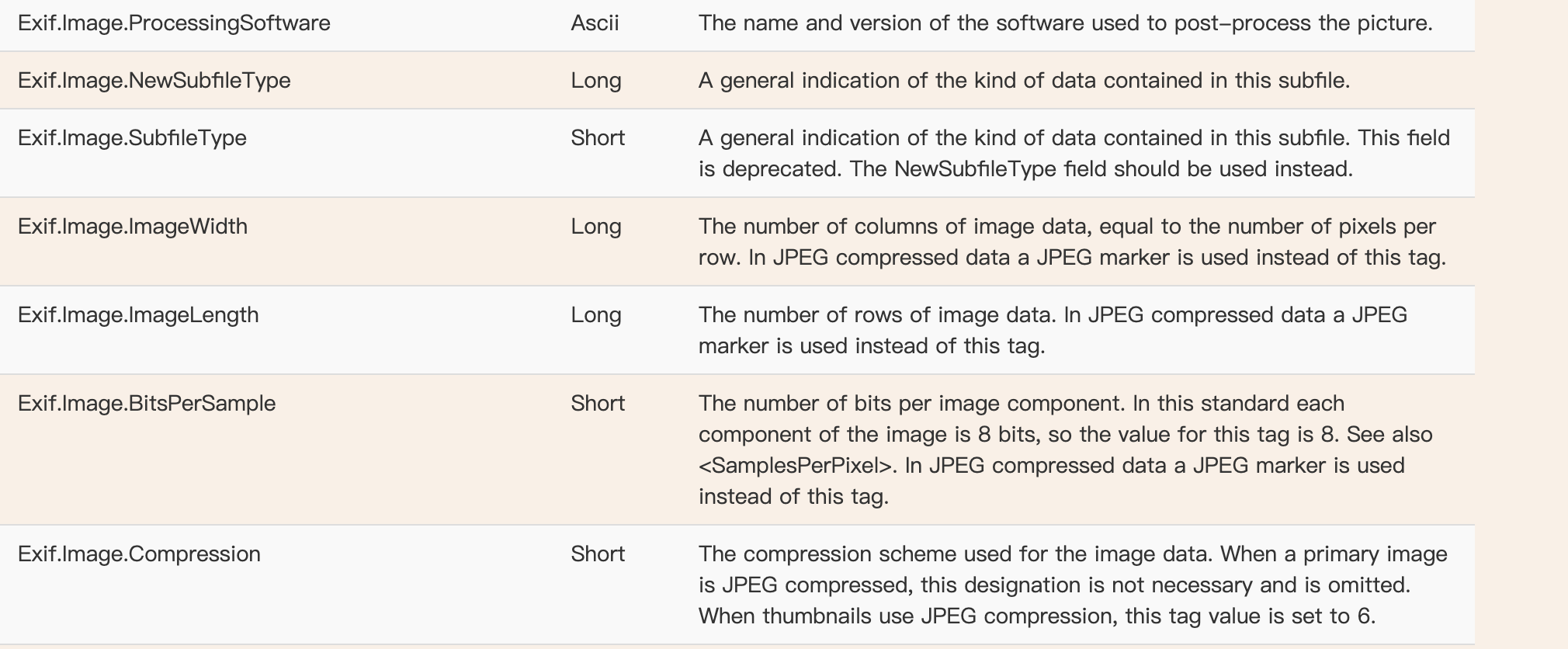
Wiping this metadata with an [EXIF strip utility](https://convertft.com/image-tools/remove-exif) is a quick win, letting you instantly squeeze out extra kilobytes across your entire image folder.
For a deeper dive into how hidden metadata works, check out my comprehensive guide: Understanding Hidden Privacy and Metadata in Your Photos (EXIF & XMP).
2. Smart Resizing: Resolution & Aspect Ratios
AI engines love to output graphics at 2K or 4K resolutions. Yet, most modern blog layouts confine image containers to widths between 500px and 1200px. Forcing a browser to pull down a 4000-pixel-wide master asset just to scale it down via CSS is an absolute web performance sin.
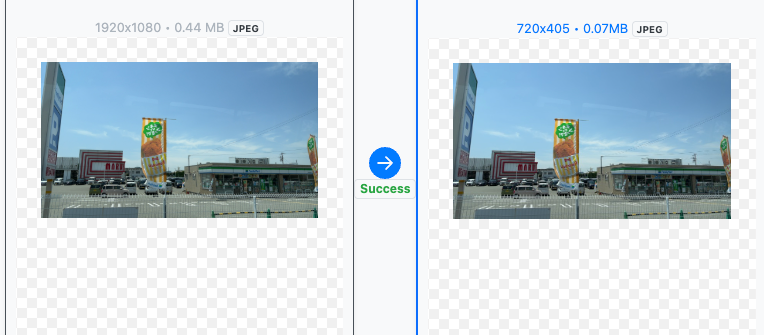
When prepping graphics for cross-platform distribution, keep these standard safe zones in mind:
- 1080 × 1080 (1:1 Square): Universal safe zone for Instagram, Facebook, LinkedIn, and standard blog post thumbnails.
- 1200 × 628 (Landscape): The industry standard for Open Graph (OG) web link previews on social platforms.
- 1080 × 1350 (4:5 Vertical): Ideal for maximizing screen real estate on mobile social feeds.
- 1080 × 1920 (9:16 Portrait): The layout required for TikTok, YouTube Shorts, and Instagram Stories/Reels.
⚠️ The Two Golden Rules of Resizing:
- Lock the Aspect Ratio: Forcing an image into arbitrary custom dimensions stretches or squishes the composition, making your brand look amateurish and instantly turning off readers.
- Choose the Right Resampling Algorithm: Basic bilinear scaling or nearest-neighbor algorithms will make fine AI textures look blurry or muddy when shrunk. The ConvertFT Resize Tool relies on the high-fidelity Lanczos resampling method, which mathematically preserves edge sharpness and fine details during downscaling.
3. Post-Generation Micro-Edits: Tuning Editorial Tone
Even when an AI model nails the core composition, a few minor modifications are usually required to align the aesthetic with your blog's specific editorial mood.
Brightness Correction
AI visuals occasionally turn out overexposed, intensely saturated, or blindingly bright—which can clash violently with a clean, minimalist code blog theme. Dropping the brightness by 10% to 15% using an editor adds an instant layer of cinematic depth and professional polish.
Batch Orientation Adjustments
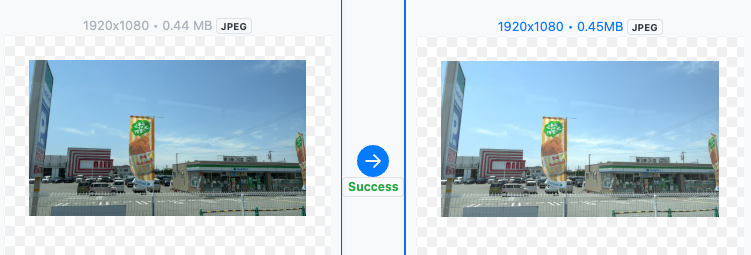
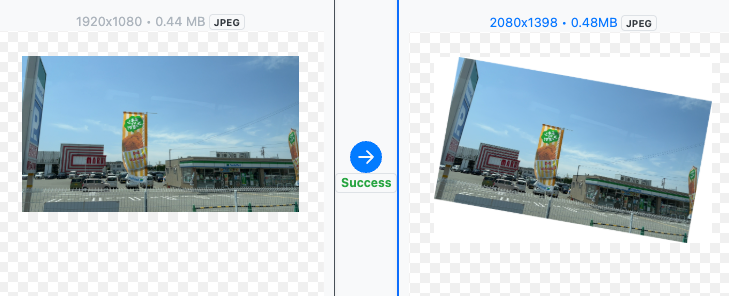
Flipping an image horizontally or tilting it slightly can completely change how a user reads a page, often helping to guide the reader’s eye naturally toward your text. While single files can be handled via native OS tools, a dedicated utility that lets you input custom degrees and process entire folders simultaneously saves hours of manual work.
Grayscale Conversion
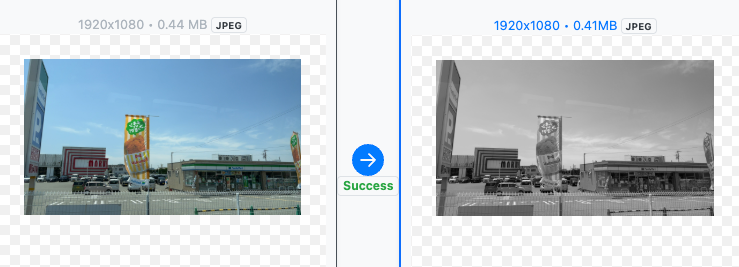
Monochrome imagery carries a timeless, cerebral weight. If you are writing a post-mortem, a highly technical breakdown, or a reflective op-ed, converting a hyper-colorful AI generation into a high-contrast grayscale graphic can instantly shift the emotional undertones of the piece to match your text.
Conclusion
As generative models continue to mature, the assets they yield will only become more breathtaking. However, raw generation power always requires production refinement. By incorporating lightweight, high-performance utilities like ConvertFT into your publishing workflow, you can handle formatting, file weight optimization, and aesthetic fine-tuning in a single, frictionless batch pass.
What does your AI image optimization stack look like? Let’s chat in the comments or over on social media!